Swift Error: "main attribute cannot be used in a module that contains top-level code"
Problem
When opening your project in Xcode, you may encounter the following error: 'main' attribute cannot be used in a module that contains top-level code:
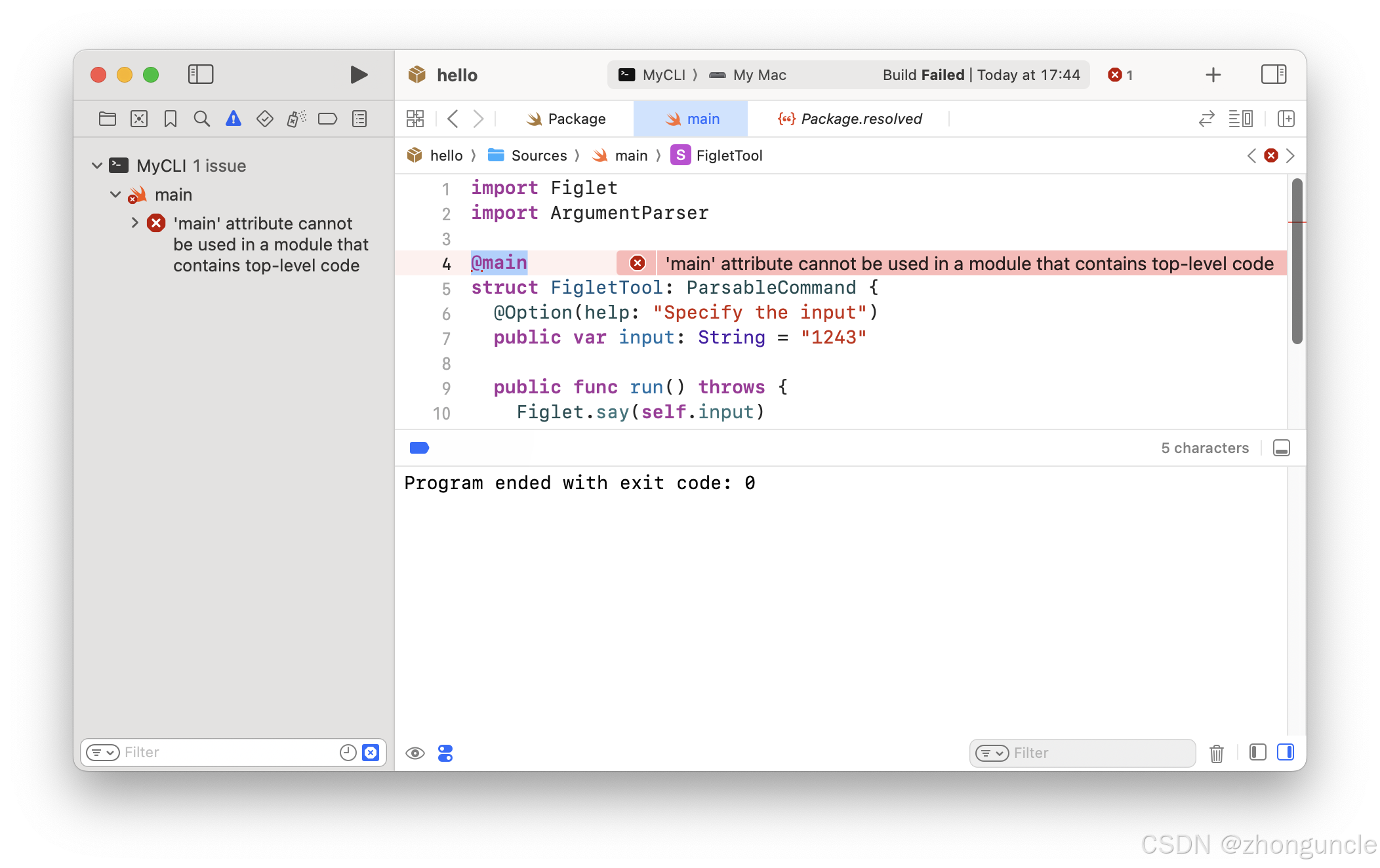
This issue occurs because, according to Swift’s official specification, the default entry points are either main.swift or the @main attribute—they cannot be used simultaneously.
However, if you build the project via the command line with
swift build -c release, you’ll find it compiles successfully.
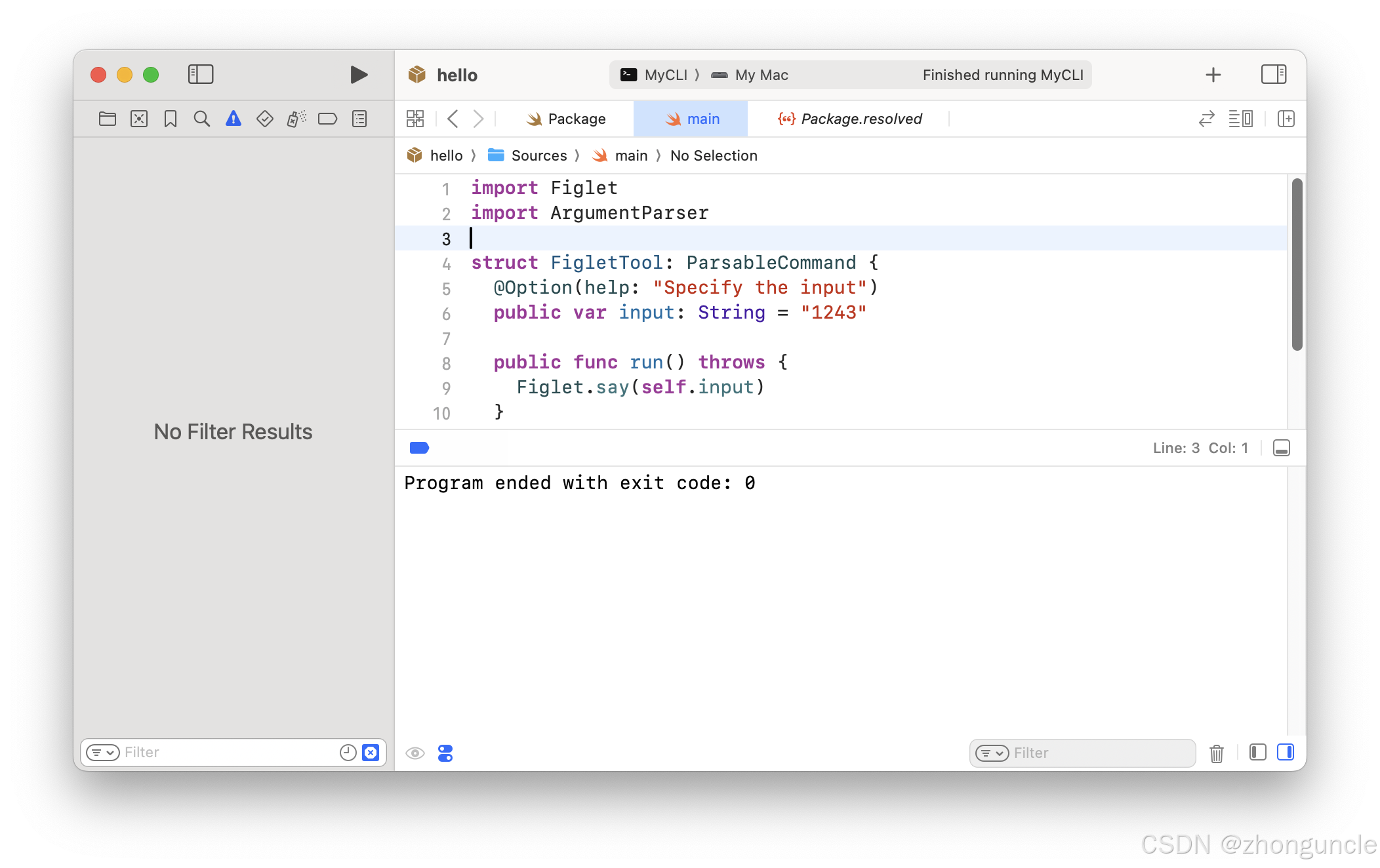
If you delete @main in Xcode, the built product will be empty (no executable generated):
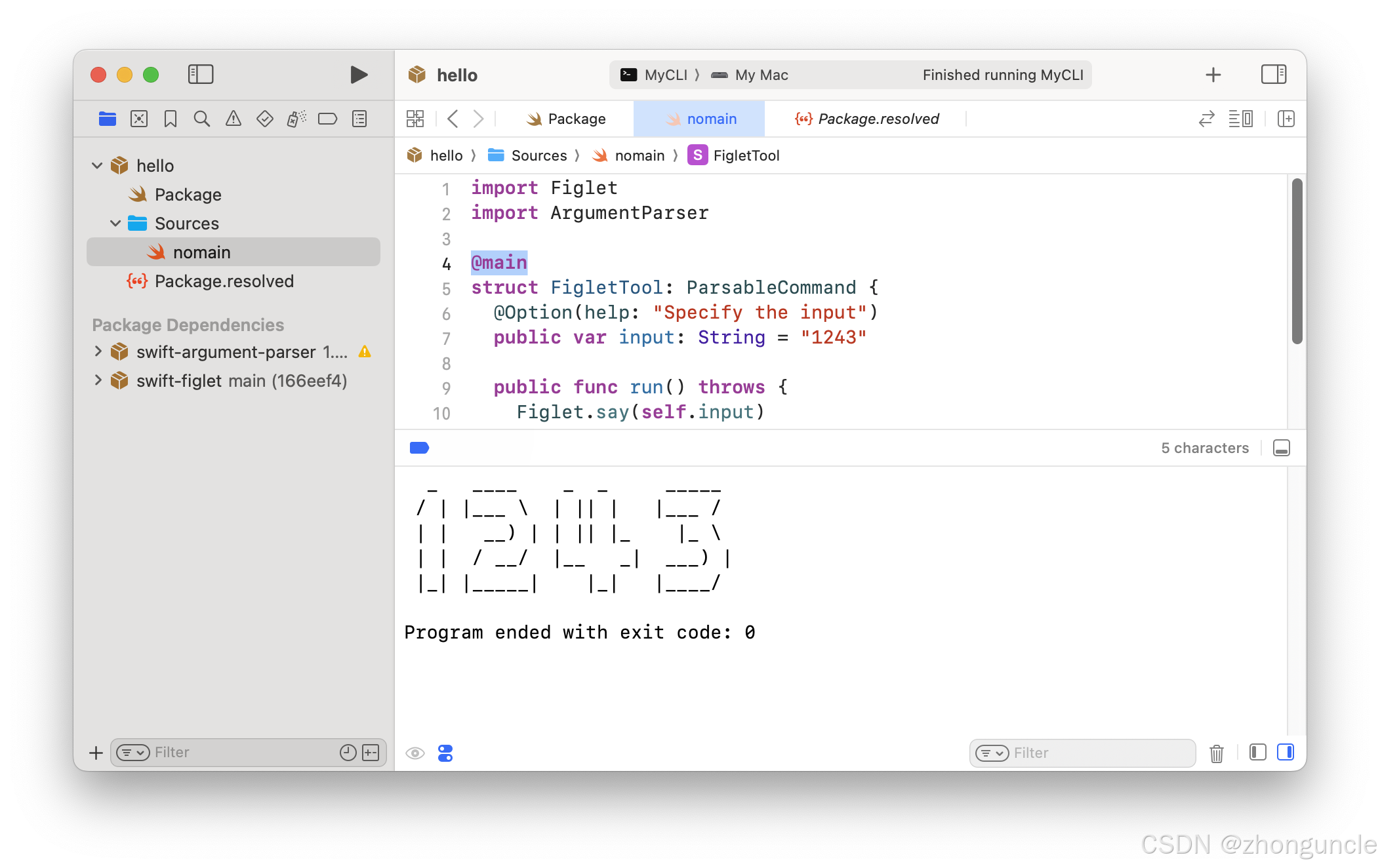
If you rename the main.swift file (e.g., to match the project name), the project will build normally:
Summary
When developing Swift projects in Xcode, it’s best to name your main function file after the project itself—avoid using “main” as the filename.
I hope this helps anyone who might need it~
References
Getting Started with ArgumentParser: Apple’s official documentation explicitly states that main.swift or @main serves as the entry point, and they cannot be used together. Screenshot below:
