How to Set Options and Arguments of Command Line Programs in Xcode via Scheme
When writing command-line programs in Xcode, you can enter text in the bottom console area, but you cannot input options or arguments there, as shown below:
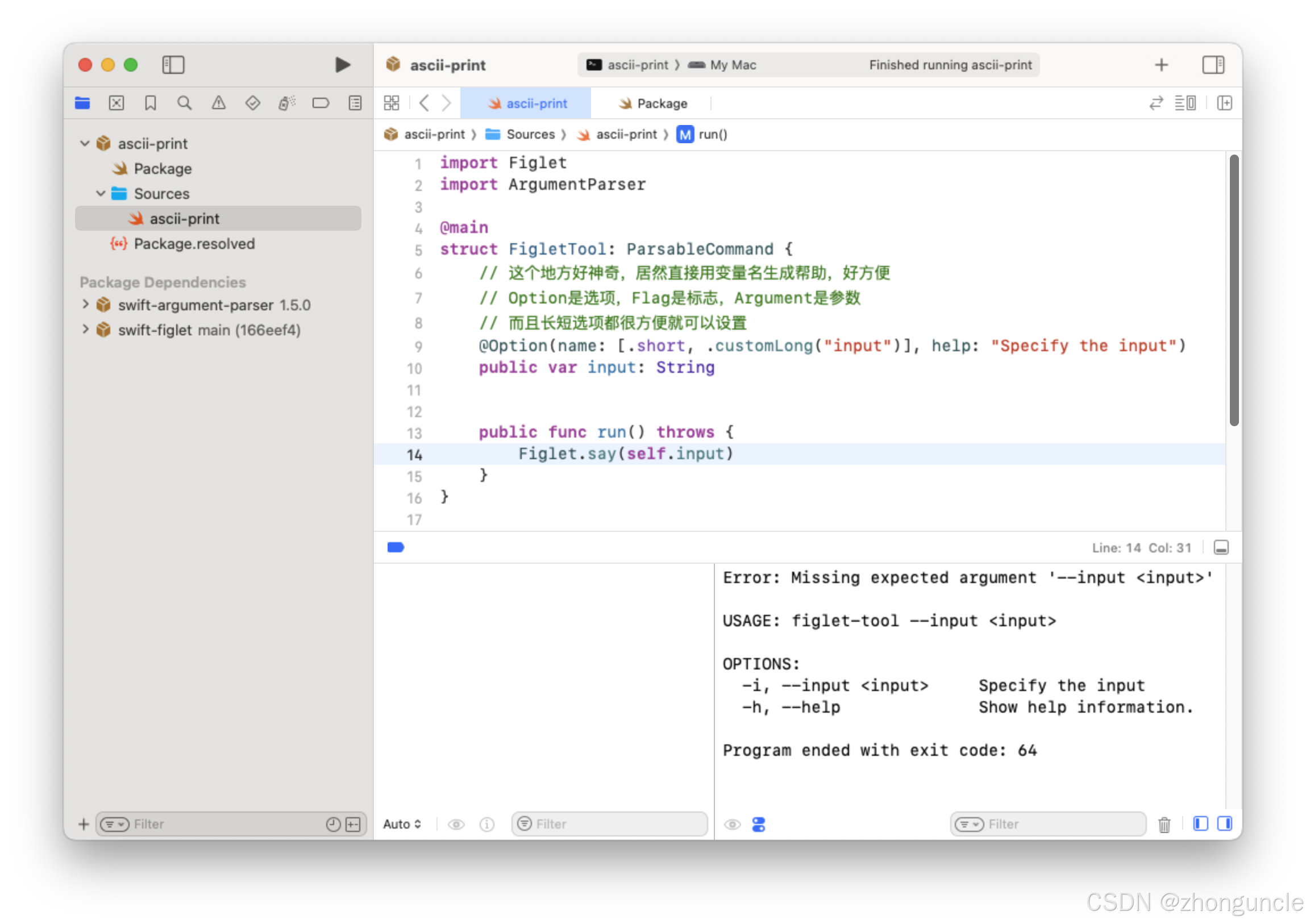
You could test the program in a separate terminal, but this is cumbersome. Instead, you can set options and arguments directly by modifying the Xcode Scheme—this eliminates the need to retype commands (or switch windows and use arrow keys) every time you run the program.
Step-by-Step Guide
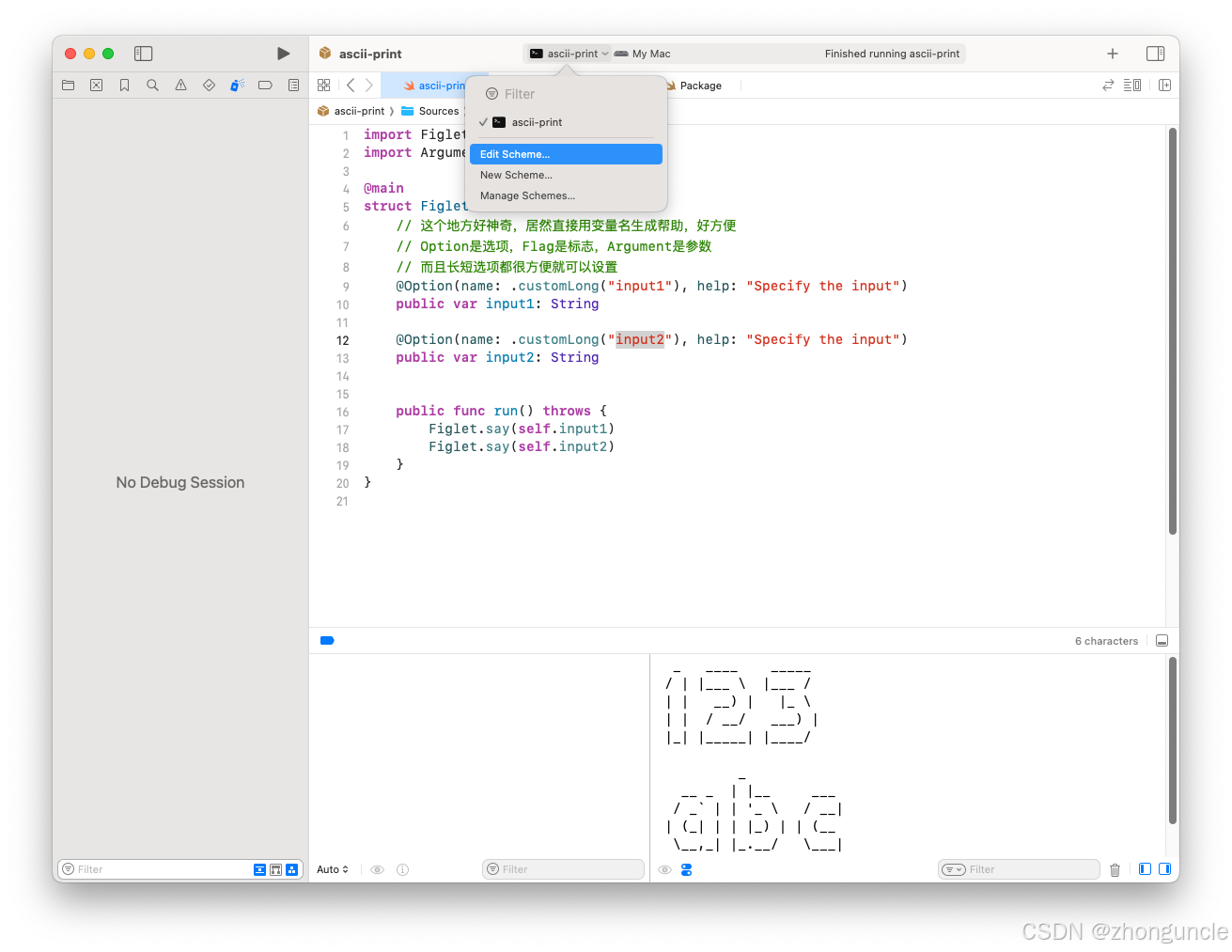
- Click the Scheme editor button (as shown below) or use the shortcut
Command+<(<is typed by pressingShift+,—sometimes written asCommand+Shift+,):
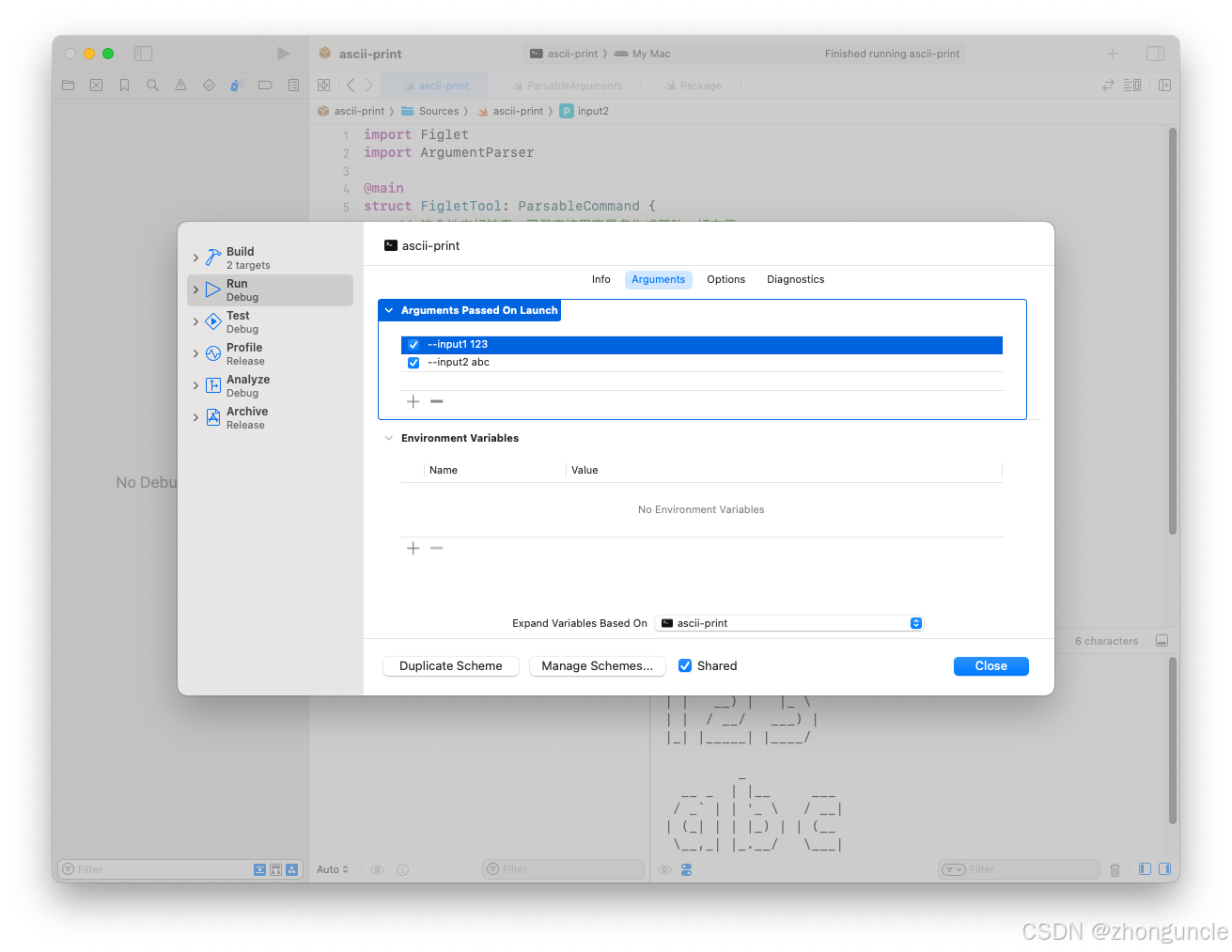
- In the Scheme settings, add your desired options and arguments (you can also set environment variables here):
Important Note
The entries here represent multiple options/arguments for a single command (not two separate commands). This setup lets you easily enable/disable options by checking/unchecking them.
For example, the two entries in the screenshot above correspond to the command:
ascii-print --input1 123 --input2 abc
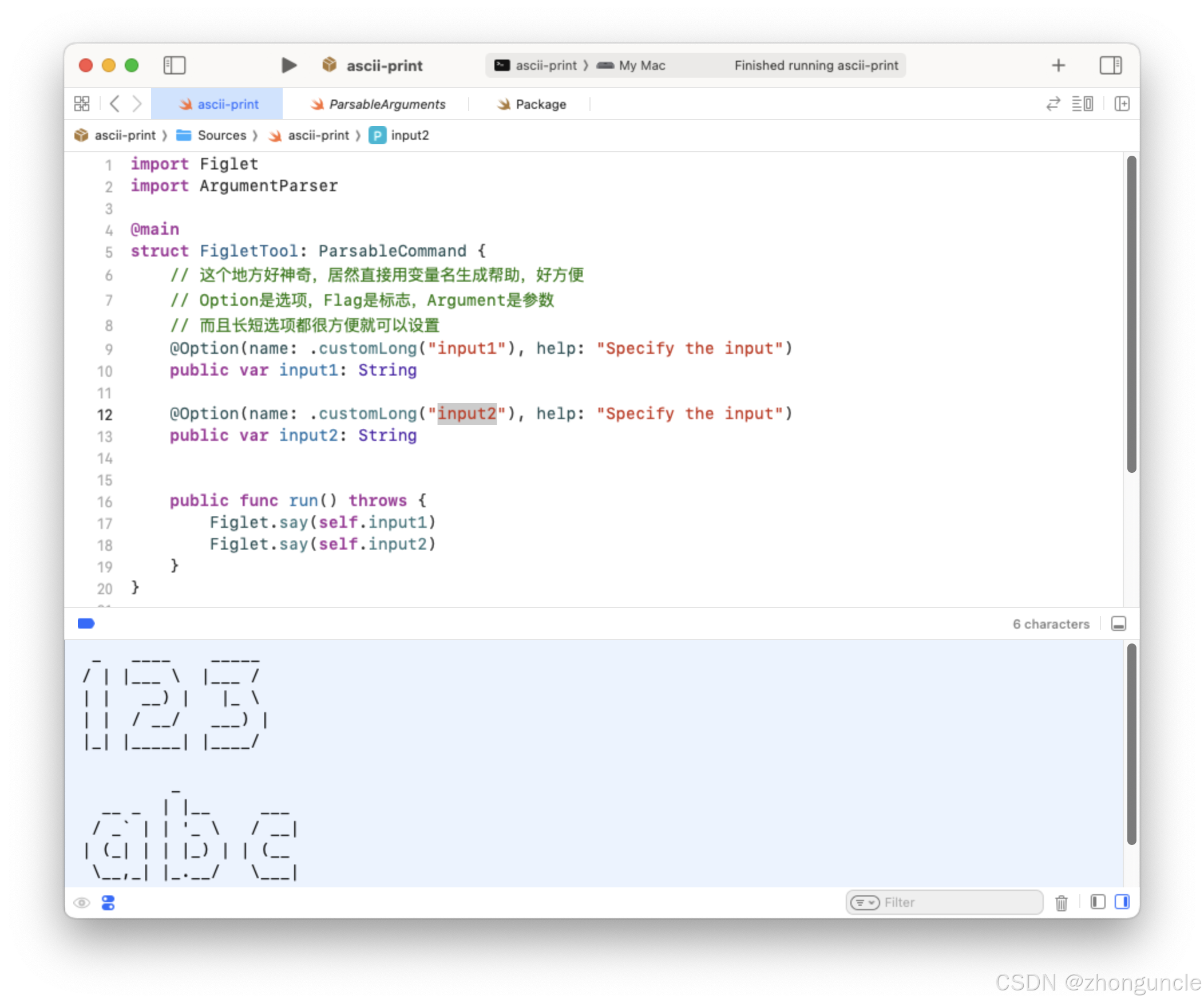
I hope this helps anyone who might need it~
References
Customizing the build schemes for a project - Apple Developer Documentation: Official Apple guide on editing Xcode Schemes.